Description
WooCommerce Licensing Plugin: Digital Product Licenser & API Server
Introduction: Automated Software Licensing for WooCommerce
Welcome to the official FramewireUI digital store. Selling downloadable software, WordPress plugins, commercial themes, desktop applications, or SaaS solutions requires a secure, automated licensing framework. Manually generating license keys, tracking active domain activations, and managing cancellations creates operational bottlenecks that hinder business growth.
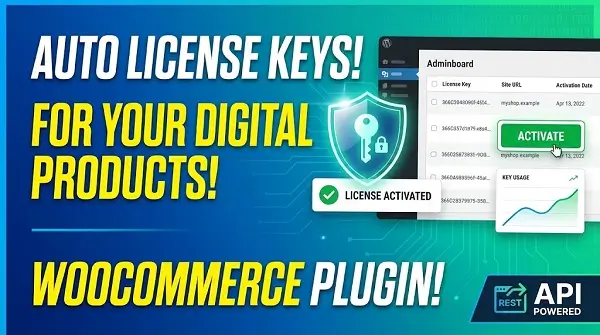
Our flagship WooCommerce licensing plugin, WooCommerce Digital Product Licenser, acts as a dedicated licensing server for your online store. It automatically generates unique, encrypted license keys for every purchased product or variation when an order is marked Processing or Completed. Featuring built-in REST API endpoints for key activation, validation, and deactivation, it gives software creators total control over digital distribution.
Explore our complete ecosystem of web development tools on the FramewireUI Shop Page to pair this licensing engine with premium UI kits, digital templates, and site management tools.
Why Choose WooCommerce Digital Product Licenser?
Building a custom licensing server from scratch requires hundreds of engineering hours spent configuring database schemas, encryption algorithms, API rate-limiting, and client authentication routines. WooCommerce Digital Product Licenser provides an out-of-the-box software licensing solution natively inside your WordPress environment.
Here is why software developers, digital agencies, and SaaS founders rely on our WooCommerce licensing plugin:
- Automated Key Generation: Issues unique, individual license keys for every purchased item quantity as soon as payment is confirmed.
- Flexible Activation Caps: Set custom activation limits from 1 to 100 per product/variation, or enter
-1for unlimited site activations. - Variation-Level License Rules: Apply unique activation limits to individual product variations (e.g., 1 Site for Personal, 5 Sites for Business, -1 for Agency).
- Automated Revocation on Refund: Automatically revokes license keys and marks active domain records as revoked when an order is cancelled or refunded.
- Encrypted Key Storage: Utilizes WordPress authentication salts or a custom
FWUI_LICENSE_SECRETconstant to securely hash and encrypt keys in your database. - Customer Self-Service Dashboard: Customers can view purchased keys and remotely deactivate active domain slots directly from their WooCommerce My Account page.
- Manager Reports & CSV Exports: Store managers can edit assigned users, update activation caps, inspect connected domain URLs, and download CSV log reports.
REST API Architecture & Cross-Platform Client Support
The core power of our WooCommerce licensing plugin lies in its secure, lightweight REST API. Because the API endpoints communicate using standard HTTPS and JSON over POST requests, your downloadable software can run on any backend technology stack.
Supported API Endpoints
The plugin registers the standardized endpoint namespace:
https://your-store.example/wp-json/fwui-license/v1/Your client applications communicate with three primary POST routes:
/activate– Registers a new site URL against an issued license key./validate– Verifies license status and caches confirmation states during periodic runtime checks./deactivate– Unlinks an active domain slot when a customer removes a site.
Cross-Language Integration
Whether you are developing WordPress plugins, desktop applications, or SaaS APIs, your backend software can easily authenticate licenses. The API accepts requests from server-side clients built in:
- PHP / WordPress: Native client scripts for plugins and theme integration.
- Node.js / JavaScript: Server-side API microservices and desktop apps (Electron).
- Python: Automation scripts, data tools, and web microservices (Django / FastAPI).
- Java & .NET (C#): Enterprise desktop software, mobile backends, and cloud services.
Security Note: The REST API processes server-to-server requests only. License keys must never be hardcoded into public frontend JavaScript files, mobile clients, or browser code.
Feature Matrix: Simple vs. Variable Product Licensing
Our WooCommerce licensing plugin integrates directly into the native WooCommerce product settings workflow:
| Setting / Option | Simple Product Setup | Variable Product Setup |
|---|---|---|
| Activation Cap Setting | Set on Product Data > General tab | Set individually on each Variation panel |
| Fixed Activation Range | 1 to 100 activations per unit | 1 to 100 activations per variation unit |
| Unlimited Activations | Enter -1 in the limit field | Enter -1 in the variation limit field |
| Disable Licensing | Leave limit field blank | Leave variation limit field blank |
| API Product ID Target | Use standard WooCommerce Product ID | Use the Parent Product ID |
Security Engineering & Rate-Limiting Protection
Securing your digital IP is critical when distributing commercial software. WooCommerce Digital Product Licenser enforces strict server-side safeguards to protect your store against key guessing attacks, brute-force validation spam, and unauthorized administrative access:
1. Encrypted Database Storage & Secret Isolation
License keys are hashed and encrypted prior to database insertion using your site’s authentication salts. For enhanced cryptographic isolation, define a custom secret in your wp-config.php file:
define( 'FWUI_LICENSE_SECRET', 'your-long-random-secret-key-here' );2. Administrative Passkey & Bearer Token Protection
The read-only GET /licenses endpoint allows store managers to fetch active store-wide license metrics. Access requires an Authorization: Bearer YOUR_PASSKEY header using a generated 64-character secret passkey, keeping your master data safe from unauthorized API queries.
3. IP & Key Rate Limiting
Incoming REST API requests are strictly rate-limited by source IP address and license key hashes to prevent brute-force abuse and API flooding.
All core code standards strictly adhere to plugin development rules established by WordPress.org. Front-end administration panels follow web accessibility criteria set by the World Wide Web Consortium (W3C) and execute efficiently without impacting page rendering speed on Google PageSpeed Insights.
For more technical implementation guides and development tutorials, visit the official FramewireUI Blog.
Step-by-Step Setup & Deployment Guide
Setting up your automated licensing server requires just a few minutes:
- Install and Activate: Upload the plugin ZIP to your WordPress dashboard under Plugins > Add New > Upload Plugin and activate it.
- Enable API & Account Settings: Navigate to WooCommerce > Digital Product Licenser > Settings to enable the REST API and activate the customer account page.
- Configure Product Licensing: Edit any WooCommerce product or variation, navigate to the General tab, and enter your desired activation limit (e.g.,
1for single-site,-1for unlimited). - Test the Checkout Flow: Place a test order and mark it Processing or Completed. A unique license key will automatically generate on the customer order details screen and in their My Account dashboard.
- Connect Your Client Software: Implement HTTPS POST requests in your application to send the
license_key,product_id, andsite_urlto the/activateendpoint.
Review our flexible licensing tiers for single-site setups, freelancer builds, or agency deployments on our FramewireUI Pricing Page.
Frequently Asked Questions
Can I use this plugin to license software built outside of WordPress?
Yes! The licensing server communicates via standard JSON over HTTPS POST requests. You can validate licenses for Node.js apps, Python scripts, C# desktop software, Java applications, SaaS platforms, or custom web tools.
What happens when a customer refunds their order?
When an order status is changed to Refunded or Cancelled, all attached license keys are instantly revoked, and any connected site domain records are marked as revoked.
How does the unlimited activation feature work?
Setting the activation limit to -1 on a product or variation allows the issued key to be activated on an unlimited number of domain URLs. The API returns max_activations: -1 and activations_left: -1.
Does this plugin conflict with previous FramewireUI licensing tables?
No. The plugin is backward-compatible with legacy FramewireUI theme licensing tables, key hashes, and REST routes while suppressing duplicate callbacks at runtime.



Reviews
There are no reviews yet.